
Write it down when it happens.
SymDiary is a symptom diary that lives on your own computer. Note what you felt and when you felt it, then save the whole lot as a PDF to take to your next appointment with a doctor, a nurse or whoever you are seeing.
Free and open source; your notes never leave your computer.
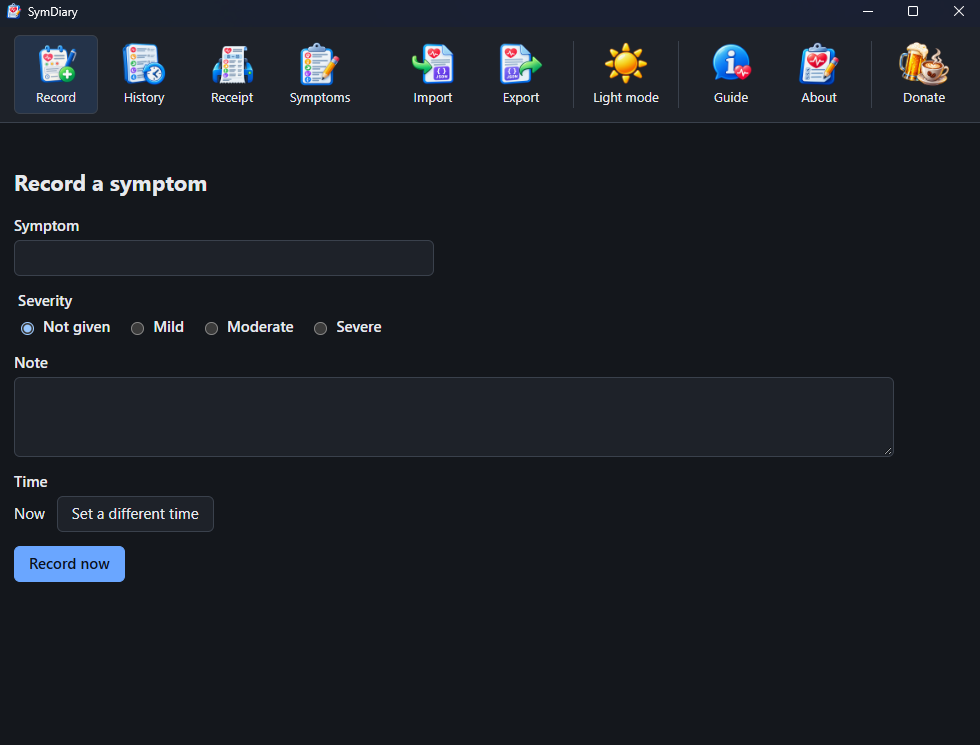
How it works
Three things; the middle one takes care of itself.
Notice it, write it down
Type what you felt in your own words. Add a note if you want one and say how bad it was; leave both out if you would rather, since only the symptom is asked for. It stamps the time for you; set a different one when you are writing up something from earlier.
It builds up
Every entry stays, newest first. Weeks later you have the thing memory cannot give you: what happened, in order, with the times beside it.
Save it for the appointment
Choose the dates you want, then press Save PDF; mark the day of your last appointment and it starts from there. You get a document numbered page by page, which you can print, email or keep. Take the sheet to your appointment and hand it to the doctor or nurse you are seeing.
Supporting SymDiary
SymDiary is free and stays free. There is no paid tier, no licence key and no feature held back behind a donation. If it has saved you an afternoon or made an appointment go better, there is a Donate button in the bar; there is also one here.
 Donate